How it works
Save the right shipping result. Check it again after a store change
A shipping result is the option WooCommerce shows—such as Free Shipping or Flat Rate—and its price. Shipping Contract Guard saves the result you approve, then compares it when the same test cart runs again.
- The plugin does not place an order
- The plugin does not use a customer address
- The saved result never changes on its own
The three steps
Choose, check, and confirm the fix
- 1
Choose what should happen
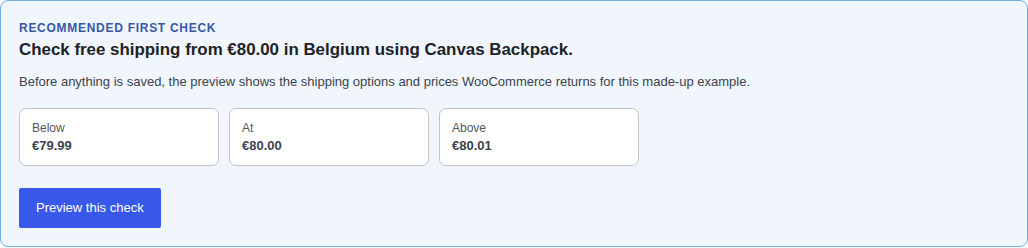
When the plugin finds one clear supported rule, it recommends a check with one product, one location, and the cart totals immediately below, at, and above the minimum amount. Review the WooCommerce results before saving anything. Choose Customize when the recommendation does not fit or none appears. Set up a check without a recommendation →
Open the recommended check → - 2
Check again after a change
Run the same test carts after an update, promotion, or settings change. The plugin gives one clear answer: Everything works, Problem found, or Could not verify.
Open a problem result → - 3
Fix the problem and check again
The free plugin shows what changed and where to look first. Operator can alert the responsible person or role. The plugin marks the problem as fixed only after the same saved check passes again.
Open the confirmed fix →
Operator demonstration
From an alert to a confirmed fix
Sample test-store data, not a customer incident. The messages below use the actual email wording. The screens show the current product interface with demonstration results.
1. A check finds a problem
Operator emails you when a saved check fails. Open WooCommerce → Shipping Contract Guard to inspect the result. The email does not identify the cause for you.
Actual failure email excerpt SubjectShipping problem found
Shipping Contract Guard found a problem with a saved shipping check. Review the result before changing shipping settings. A preceding settings change does not prove what caused the problem.
2. Record who is following up
In the plugin, mark the problem as seen and add the responsible person or role. The example uses Shipping lead. Marking it as seen leaves it open; someone still needs to inspect and fix the store setting.
3. Rerun the same check after the fix
Only a passing retest of the same saved check closes the problem. This screen records the passing check that confirmed the fix.
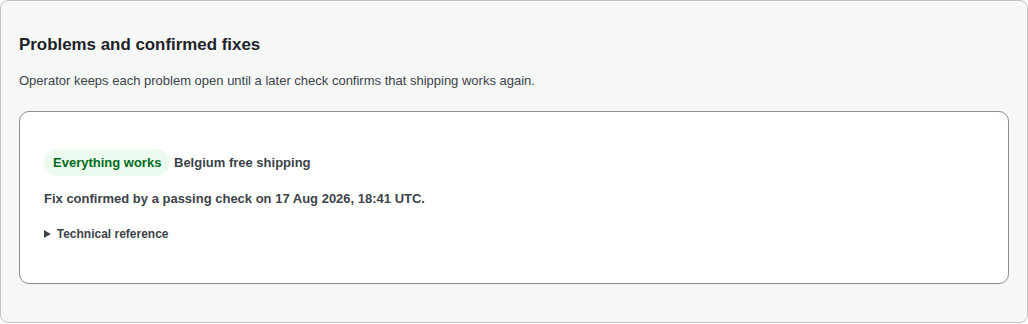
Real product screen with a sample result. Open full size → Read the recovery email
Subject: Shipping problem fixed
A passing follow-up confirmed that the shipping problem is fixed. No problem remains open.
Store and check references follow these excerpts in the emails.
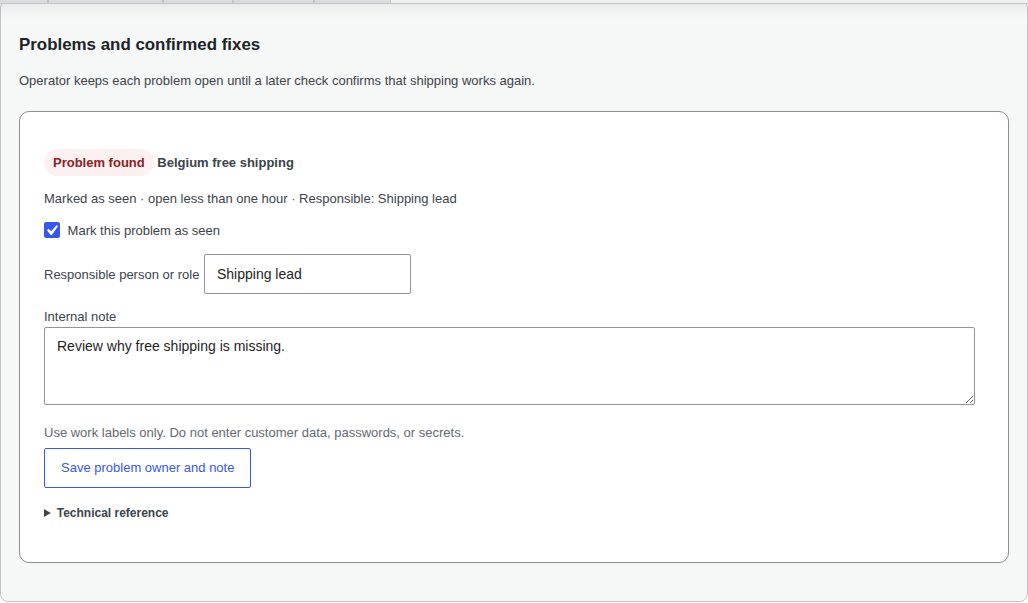
Local users can run and inspect checks manually. Operator adds automatic checks, email alerts, and follow-up. Check schedules and possible delays before relying on an alert.
Set up Operator after your first free checkWhat you see
The short answer comes first
The top card names the saved check, whether it passed, found a problem, or could not finish, and what to review next. Open the details when you need every test cart or a download.
- An incomplete check never counts as working
- The plugin creates no checkout, customer, or order
- History from free checks stays in WordPress
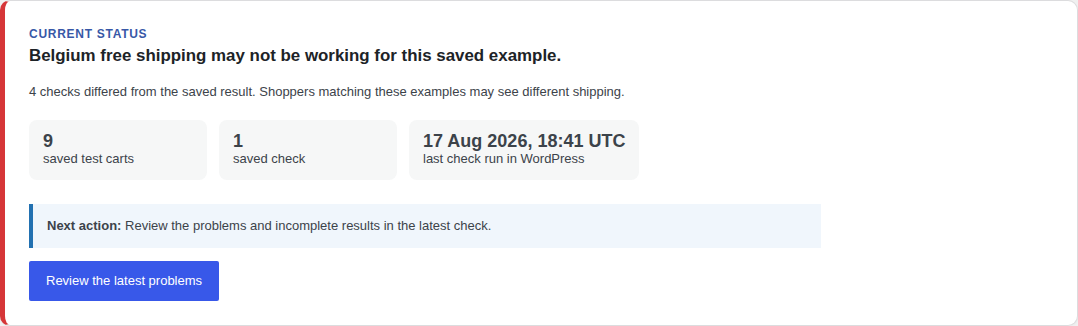
Text from this example screen
Belgium free shipping may not be working for this saved example.
4 checks differed from the saved result. Shoppers matching these examples may see different shipping.
Next action: Review the problems and incomplete results in the latest check.
More about the free and paid options
Local: free checks you run yourself
The free plugin includes manual checks, clear error details, up to 90 days and 500 completed checks in WordPress, downloadable spreadsheet and technical files (CSV and JSON), and one safe way to try a supported shipping change. If any saved check fails, the plugin puts the old setting back.
Some shipping options normally contact a carrier or other service for a quote. The plugin warns you before saving that kind of check. It does not read the carrier account or password.
Operator: automatic checks and alerts
After a relevant store change, the plugin schedules a check for five minutes after the last detected change, capped at 30 minutes after the first change. Operator also follows your chosen regular schedule and warns you if checks stop arriving. Scheduled times are not guaranteed completion times. See schedule options and possible delays. If the same check fails more than once, Operator sends one continuing alert instead of a new alert each time. It marks that alert as fixed after the same check passes.
Operator receives the check result, time, and small technical references needed to match it to your store. It does not receive customers, orders, payments, full addresses, or detailed shipping rules. It cannot change your store settings.
Set up your first shipping check for free
No account, checkout, or test order is required. Follow the setup steps →
Install free from WordPress.org