Local Free
Run checks yourself after each change. Keep up to 90 days and 500 completed checks in WordPress and export the results.
Get Local on WordPress.orgWooCommerce shipping checks
Save the shipping options and prices your store should show. Check them again after a store change—without placing an order.
Available in the WordPress.org plugin directory · Version 1.10.1
WordPress 6.5+ · WooCommerce 8.2+ · PHP 8.1+
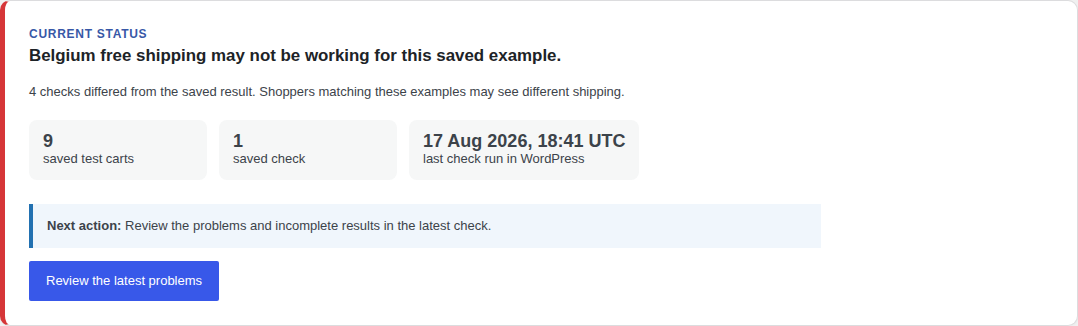
Problem found
Belgium free shipping may not be working for this saved example.
4 checks differed from the saved result.
Next action: Review the problems and incomplete results in the latest check.
Start with WooCommerce Flat Rate, Free Shipping, or Local Pickup. Save the exact options and prices for your test carts.
See supported shipping and tested versions →Only your saved test carts matched. It does not prove live carrier availability or test your theme, payment, or complete checkout. An incomplete check is never marked as working.
Your first check
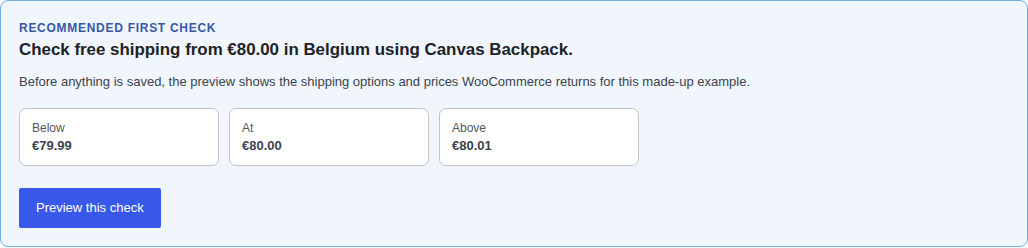
Choose a recommended check, or open Customize to create your own. Preview the test carts and approve only the correct shipping options and prices.
See the recommended check →See whether the saved shipping options and prices still match. A missing option, changed price, or incomplete result needs review.
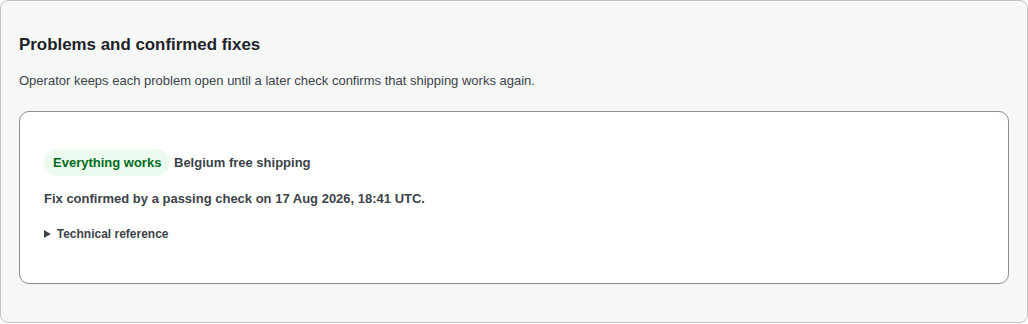
Inspect the result, fix the store setting, and rerun the same test carts. Only a passing retest confirms the fix.
See a confirmed fix →Optional automation
Operator runs your saved checks automatically, emails you when a problem appears or checks stop, and keeps the successful retest that confirms the fix.
See the alert, follow-up, and confirmed fix →You fix the store. Operator does not change shipping settings or replace emergency support. See check timing and possible delays →
SubjectShipping problem found
Shipping Contract Guard found a problem with a saved shipping check. Review the result before changing shipping settings. A preceding settings change does not prove what caused the problem.
Message excerpt. Store and check references are omitted here.
Run checks yourself after each change. Keep up to 90 days and 500 completed checks in WordPress and export the results.
Get Local on WordPress.orgAutomatic checks, email alerts, follow-up, and 90 days of online history for one store. Tax is added where required.
Start Operator from the pluginNo shipping options · Wrong shipping zone · Free shipping missing
Browse all troubleshooting guides →The free plugin needs no account, checkout, or test order.
In WordPress, open Plugins → Add New Plugin, search for Shipping Contract Guard for WooCommerce, then choose Install Now and Activate. Open WooCommerce → Shipping Contract Guard to begin.
Choose a recommended check, or open Customize to create your own. Review the test carts, made-up addresses, shipping options, and prices. The plugin saves nothing as correct until you approve it. Follow the first-check instructions →
Need a manual package? Download the verified version 1.10.1 ZIP. To confirm that the file is unchanged, compare its technical check code (SHA-256): a07d0a9af3f2fe6f3c08861a4edb4759924c82c7348806a274be14f152437293